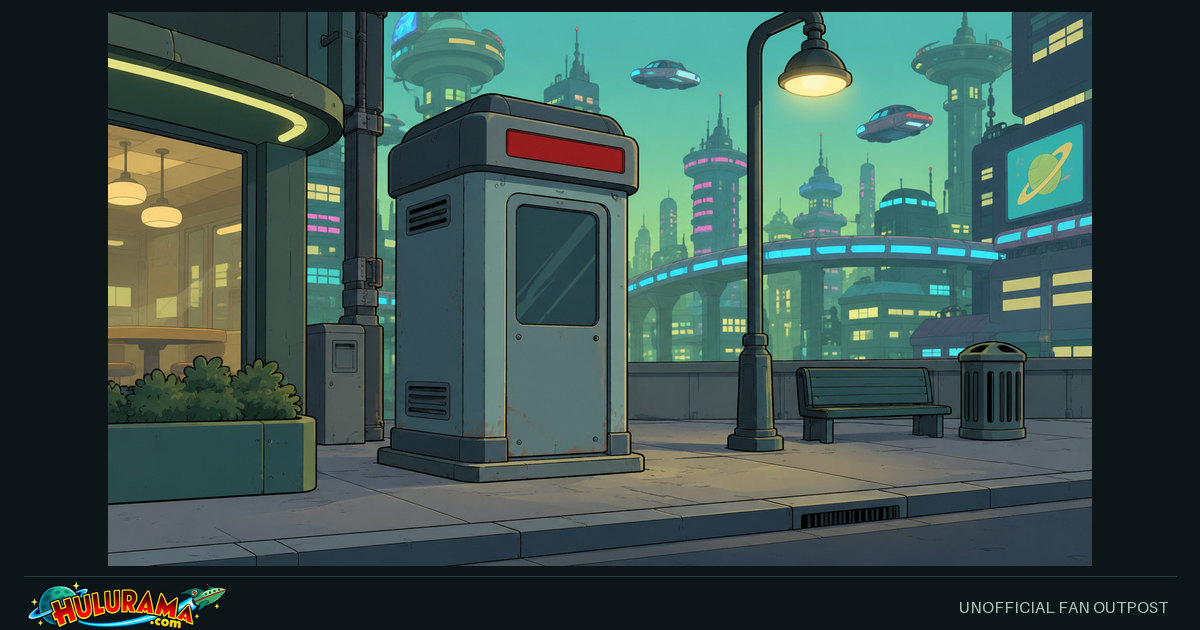
Interpretive technology illustration · not a verified prop diagram or official episode still
FIELD NOTES
The dossier
This recurring fictional device is part of the series’ bleak satire of convenience and commercialized everyday life.
This entry is a media reference, not practical information. The joke’s function is to make Fry’s new world seem both casually futuristic and distinctly unsettling.
Updated Sep 12, 2026 · Hulurama editors
SUPPLEMENTAL LOCAL SOURCE CONTEXT
More about this setting or device
A dark fictional joke about automated public services, not practical information.
The recurring booth is part of the series’ bleak satire of commercial convenience. The pilot uses its casual presence to make Fry’s new world feel both familiar and unsettling.
This is a media-analysis entry only. Operating details, prices, methods and instructions are deliberately excluded. A future illustration should show a closed, unused street kiosk rather than a person in danger.
This is a concise editorial digest of the supplied technology and continuity research. It is a fictional-device reference, not an engineering specification.
Your published dossier above has not been replaced. This separate panel supplies the collection’s source digest.
Category
Automated services
Content status
Published dossier
Collection
Automated services
Source trail and editorial limits
These notes condense supplied reports. Source IDs and locations identify the basis of the digest; the full reports remain private and are not executable instructions.
HR10 · Futurama Lore Research Plan.md · line 29 Premise and functional distinction; detailed mechanisms and endings omitted.
No coordinates, dimensions, performance values or chemical formulas are inferred from generated artwork. Wider claims in the reports still require their own editorial verification.
Editorial discovery links, including names mentioned in bundled synopses. These are not a complete cast, appearance list or route map. Titles and connection notes may contain spoilers.
Keep the image, the blurb and the tags together. Prepare them here, then review your post at its destination. A link preview and an uploaded photo are different kinds of post.
Computer tools
Copy your caption, save the image if needed, then open a browser composer. No phone-style share menu is required.
Your device may offer an app menu. Browser destinations and copy/download tools remain available below.
Interpretive technology illustration · not a verified prop diagram or official episode still Platforms choose their own card layout. Caption edits do not change this preview or the saved page.
1 Choose your destination
Facebook receives the public page URL. Copy and paste the caption yourself.
Enter a public HTTPS hostname. No server is contacted until you follow the composer link.
2 Prepare your post
Copy this text and paste it into your chosen app. Nothing is posted automatically.
Edit blurb and tags
Page-specific tags come first, alongside #Futurama and #Hulurama. Shorter destinations use a smaller selection; your full list stays here.
Edits stay in this tab. They do not change the page or metadata. Some destinations use a shorter caption; topic tags, account mentions and Reddit flair are not automatically created.
Copy just the public link
Image for a photo post
Download and attach this file to control which picture you post. A composer link does not upload it for you.
These are ordinary links, not script popups. The same-tab option leaves this page; copy your caption first. Destination login or upload support is controlled by that service.
Direct destination links and other apps
Facebook and LinkedIn receive the link, not a prewritten status. Copy post and paste it yourself. For Instagram, TikTok or other image-first destinations, save an image and paste the caption in a supported post type. For Discord, Messenger, Signal, iMessage, Snapchat or other chats, paste the public link or attach the saved image. No application is installed or account connected here.
Sharing help for this browser
API availability is not permission or posting success. If automatic copying fails, use Select text and Ctrl+C (Windows/Linux) or Cmd+C (Mac); on a touch screen, use the selection menu. If native sharing fails, use the browser destination or download/upload steps. No diagnostic data is sent or saved.
Nothing is posted automatically. External links deliberately hand the chosen public text/link to that service. Hulurama loads no social SDK, analytics, account token or tracking pixel, and does not save caption edits or tool input.